Getting started
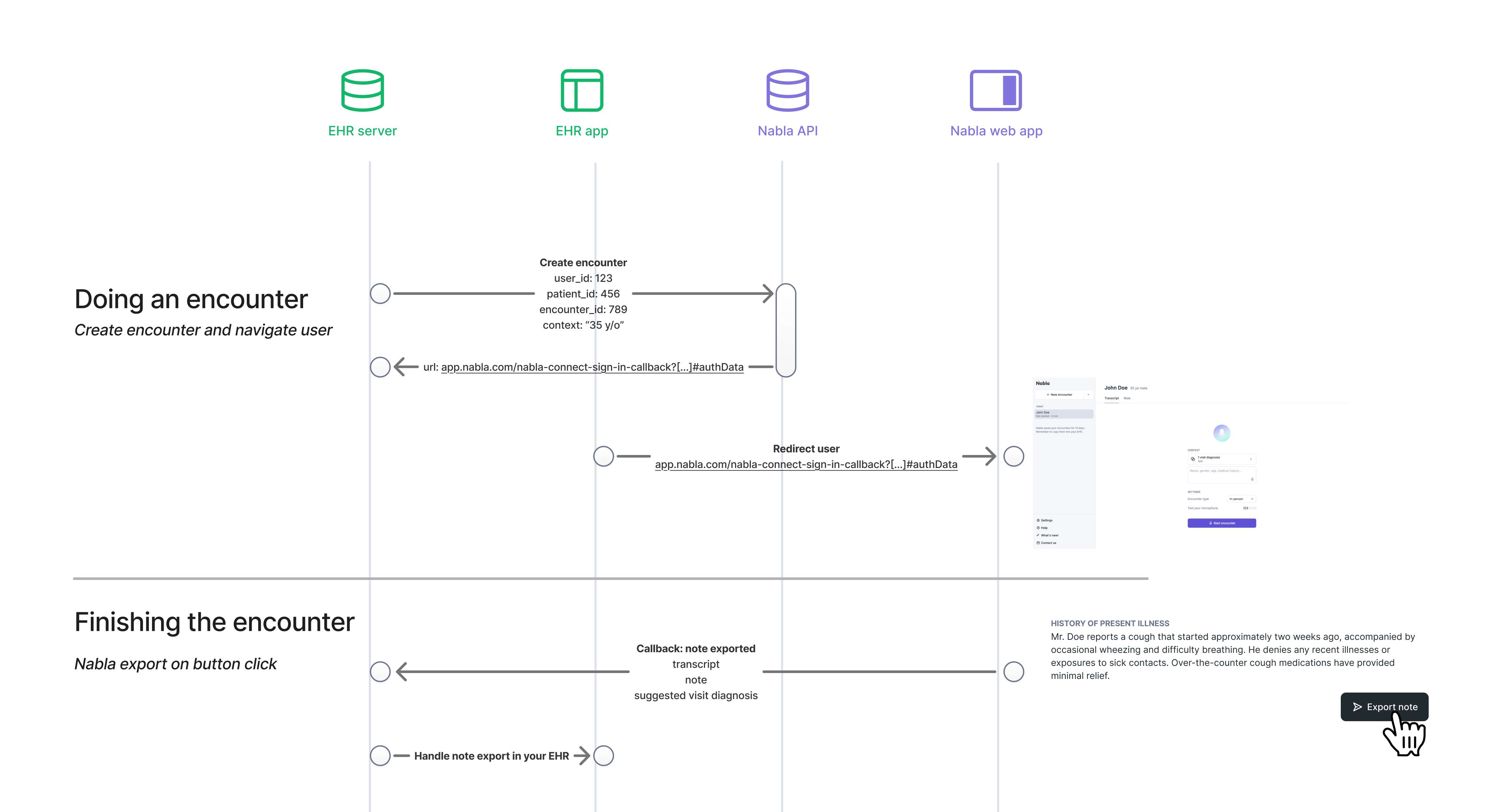
Nabla Connect is an integration protocol between Nabla and any EHR. It uses API calls between Nabla's server and your EHR's server so providers can start a Nabla encounter from the EHR, with patient context transferred in and the note exported back.
What it does
- Integrated encounter creation — a button in your EHR launches a Nabla encounter pre-linked to the current patient and encounter.
- Contextual data sharing — Nabla receives patient context such as name, age, gender, and visit diagnoses.
- Simplified note export — providers click Export Note and generated data flows back to the EHR.
Contact connect@nabla.com to create your organization.
User flow
From the provider's perspective:
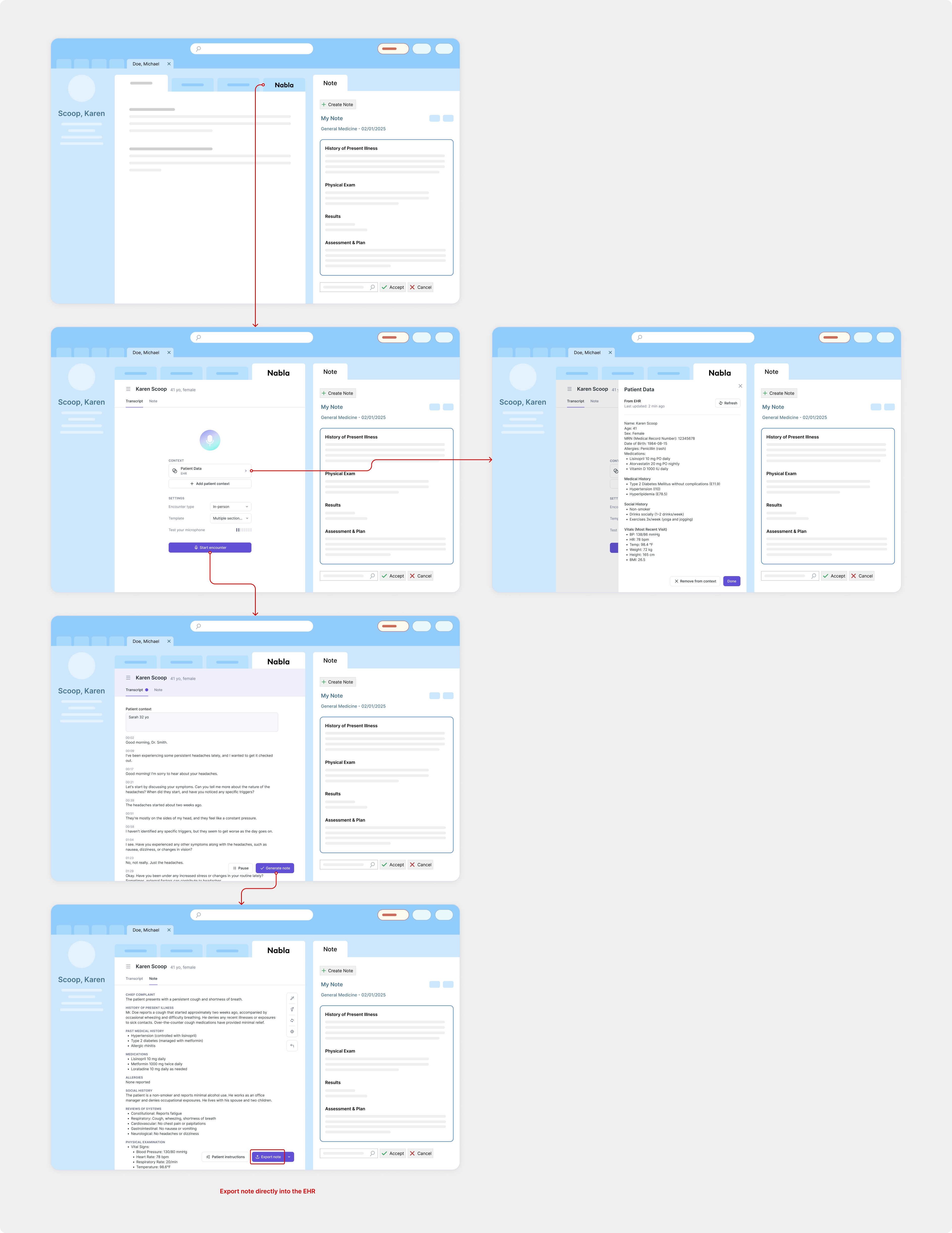
- The provider clicks the Nabla button on the EHR encounter screen.
- Nabla opens (iframe or browser tab) on an auto-created encounter enriched with EHR context.
- The provider records, generates, and reviews the note in Nabla.
- The provider clicks Export Note — note and structured data are sent back to the EHR.
How it works
Your backend calls Nabla to create or refresh an encounter (incoming APIs). Nabla calls your backend to export the generated note and other data (outgoing callbacks).
Integration checklist
- Set up an OAuth client and authenticate your backend.
- Add a Nabla button on the EHR encounter screen that calls
POST /encounters. See Launch encounters. - Optionally add a settings button that calls
POST /settings/urlwithout an encounter. - If embedding via iframe, add
allow="microphone; clipboard-write"to the iframe (addloopback-networkif you use Nabla Echo). - Optionally, control the encounter from the page that embeds the iframe with the Embed SDK.
- Expose a catch-all webhook endpoint and configure it in Nabla Connect Admin.
- Verify HMAC signatures on incoming callbacks and handle
NOTE_EXPORTandPATIENT_INSTRUCTIONS_EXPORT. See Receive callbacks.
How to get a test organization
- Email connect@nabla.com and specify the email address that should have admin access.
- Once the test organization is ready, go to Nabla Connect Admin.
- Sign in with that admin email (a one-time code is sent to the mailbox).
Next steps
- Authentication — OAuth client and JWT access tokens
- API versioning — base URL and
X-Nabla-Api-Version - Launch encounters — create or refresh a one-time encounter URL
- Manage users — provision, activate, deactivate, and delete providers
- Receive callbacks — HMAC verification and note export payloads
- Embed SDK: follow and drive the encounter from your page
- API reference — request and response schemas
- Changelog — dated API changes